Private cloud · your data · your rules

Private cloudAll company services in one secure environment

We build a private cloud, migrate company services into it, and connect an AI assistant. It runs on your servers or in a dedicated environment.

Your dataencryption · roles · audit
Turnkey migrationservices · people · access
Scale and SLAintegrations · support
We migrate fromMicrosoft 365Google WorkspaceYandex 360file serversto your private cloud
What we build

One platform. All company work in one place

FI

Files

storage · permissions · versions
OF

Office

documents · spreadsheets · collaboration
TK

Talk

chat · calls · video meetings
YOUR INFRASTRUCTUREPRIVATE
CLOUD
for example, Nextcloud
SSOencryptionbackupaudit
ML

Mail

server · contacts · calendars
AI

AI secretary

search · mail · meetings · files
API

Your systems

CRM · 1C · ERP · e-docs · API
full data control+full customization+no hard vendor lock-in
Compact NVIDIA DGX-class appliance running a local AI cloud, with NAS disks beside it
Run AI fully local

NVIDIA DGX + private cloud with local AI

A compact box that runs your whole AI cloud in the office. Data stays on-premises — no server room required.

  • EUR 10,000box + NAS disks
  • ~200 Wordinary office power
  • On-premisesdata never leaves the office
AI assistant across your data

Ask in plain language — get the result

FILESMAILCALENDARSCRM / 1C / API
AI
COMPANY SECRETARYsees only permitted data
24/7
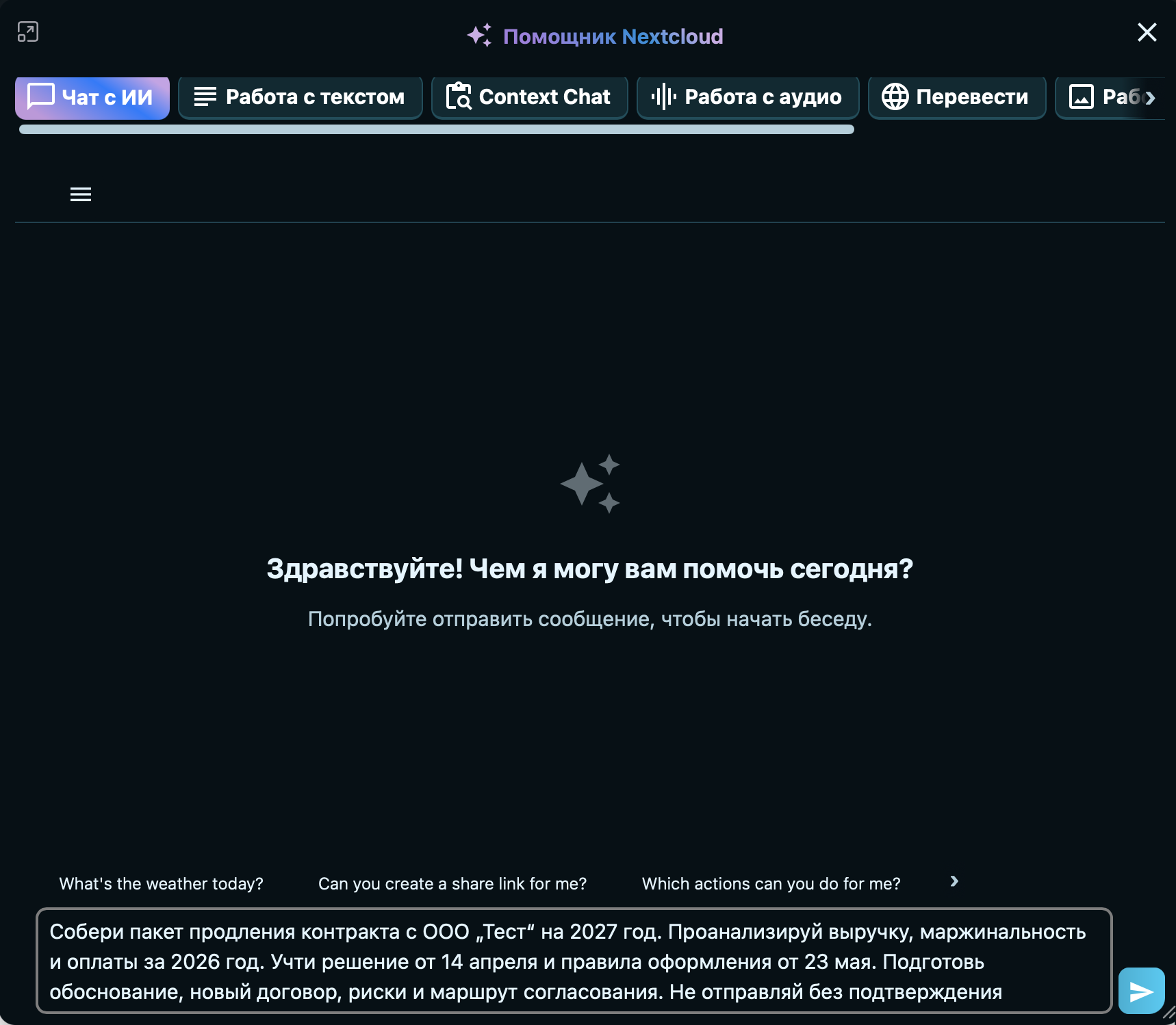
Business request entered in the Nextcloud Assistant interface
AI AGENTS · CUSTOMER DATA
01Financerevenue · margin · payments
02KnowledgeDecisions, policies, and how-tos
03Contract2027 terms · new revision
04Controlrisks · approvals · audit
RESULT Prepare a contract package for a new deal
  • Finds the counterparty details in CRM
  • Fills the contract template automatically
  • Saves the documents to the deal folder in Nextcloud
  • Sends the link to the manager
No manual copy-paste, no switching between apps
01TALK

“Remind me what Mikhail and I agreed regarding Test LLC.”

Searches the Talk history, summarizes agreements, and links to the original messages.

02MAIL

“What amount did Test LLC quote for the work?”

Finds the amount in Mail and shows the message, date, sender, and related attachments.

03DOCUMENTS

“When did we sign the contract with Test LLC?”

Checks the contract and appendices, then returns the signing date and a link to the source file.

04DIRECTORY

“Who is Alexey's manager?”

Checks the organization structure, groups, and departments, then shows the manager and reporting links.

05WHITEBOARD

“Create a Whiteboard showing our company organization structure.”

Builds a hierarchy from users and groups, creates the diagram, and saves the board in Nextcloud.

06MAIL + FILES

“Prepare an executive solution presentation using Test LLC data from the email and our materials from the TEST folder.”

Combines the sources, creates the presentation in Office, and includes links to the data used.

07FILES + VISION

“Find every photo in the IMAGES folder containing a person in dark glasses and move them to the MIB subfolder.”

Recognizes images by visual content, shows the matches, and after confirmation moves the files with an audit-log entry.

08FILES

“Copy every document related to TEST LLC from the TEST folder into OOO_TEST.”

Finds documents by name and content, shows the list, and after confirmation copies them while preserving the originals.

Answers use only data available to the user and include links to the original sources.

PROJECT MEMORY

“Remember: starting in June, the client has a 7% individual discount.”

Saved to the client context
REMINDER

“Remind me tomorrow at 10:00 to check contract approval.”

Reminder created in Nextcloud
01

Semantic search

documents and connections

02

Answers and help

knowledge and policies

03

Emails

drafts and follow-ups

04

Project memory

decisions and context

05

Meetings and tasks

slots and tasks

06

File operations

classification and sorting

07

Images and scans

OCR and visual search

08

Reports and control

summaries and risks

How the transition works

  1. Auditsystems, data, dependencies, and risks
  2. Architectureprivate cloud architecture, permissions, and integrations
  3. Migration wavesmigration, verification, and user switchover
  4. Launchtraining, support, and operational control
mailfilescontactscalendarsuserspermissionsservices
Loading…
After launch

We continue operating the platform

Discuss support
01

Reliability

monitoring · backup · updates

02

Team support

support · training · guides

03

Development

applications · integrations · AI

We will prepare a private cloud plan for your company

Tell us which services you use, how many employees you have, and what data needs to be migrated. We will propose the architecture and the first stage.

hello@aonius.ai
Clicking the button opens an email with the project details filled in.